Windows 11 finally lets you move and resize the taskbar
Windows 11 build 26300.849 adds options to move the taskbar to the left, right, or top and shrink it via Settings > Personalization > Taskbar > Taskbar behaviors. The Start menu can also be resized, but auto-hide only works when the taskbar sits at the bottom.
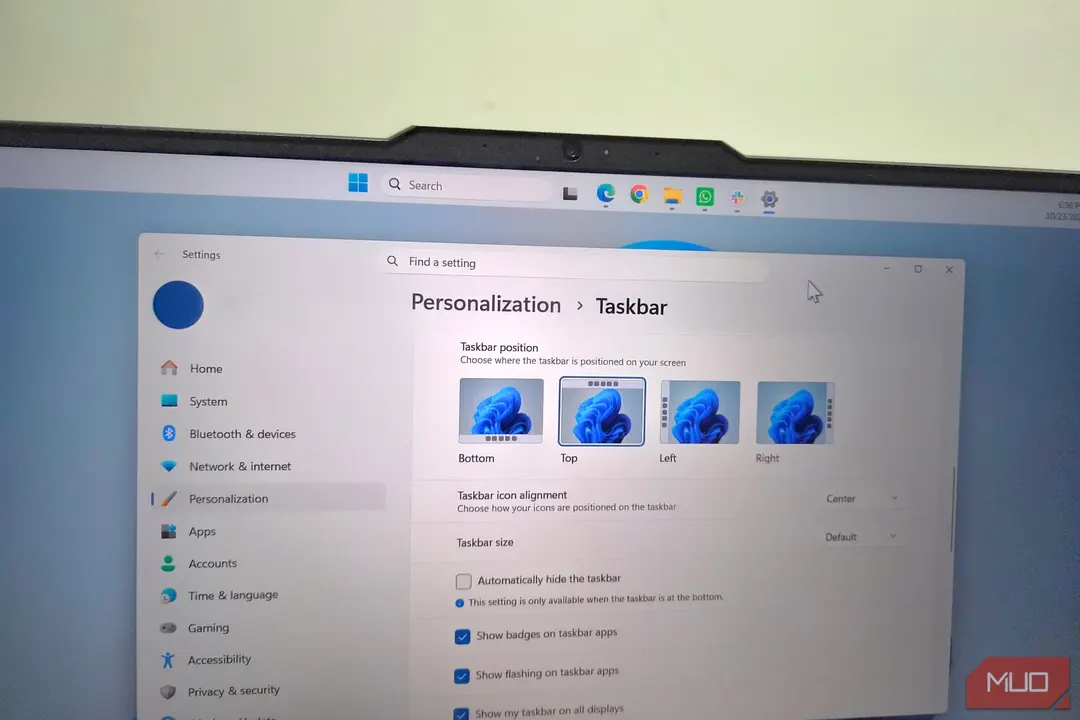
- Taskbar move and resize options arrive in build 26300.849
- Auto-hide only works when the taskbar is at the bottom
- Only two taskbar sizes are available: Default and Small
- Start menu size is adjustable in a separate setting
Read next
Software